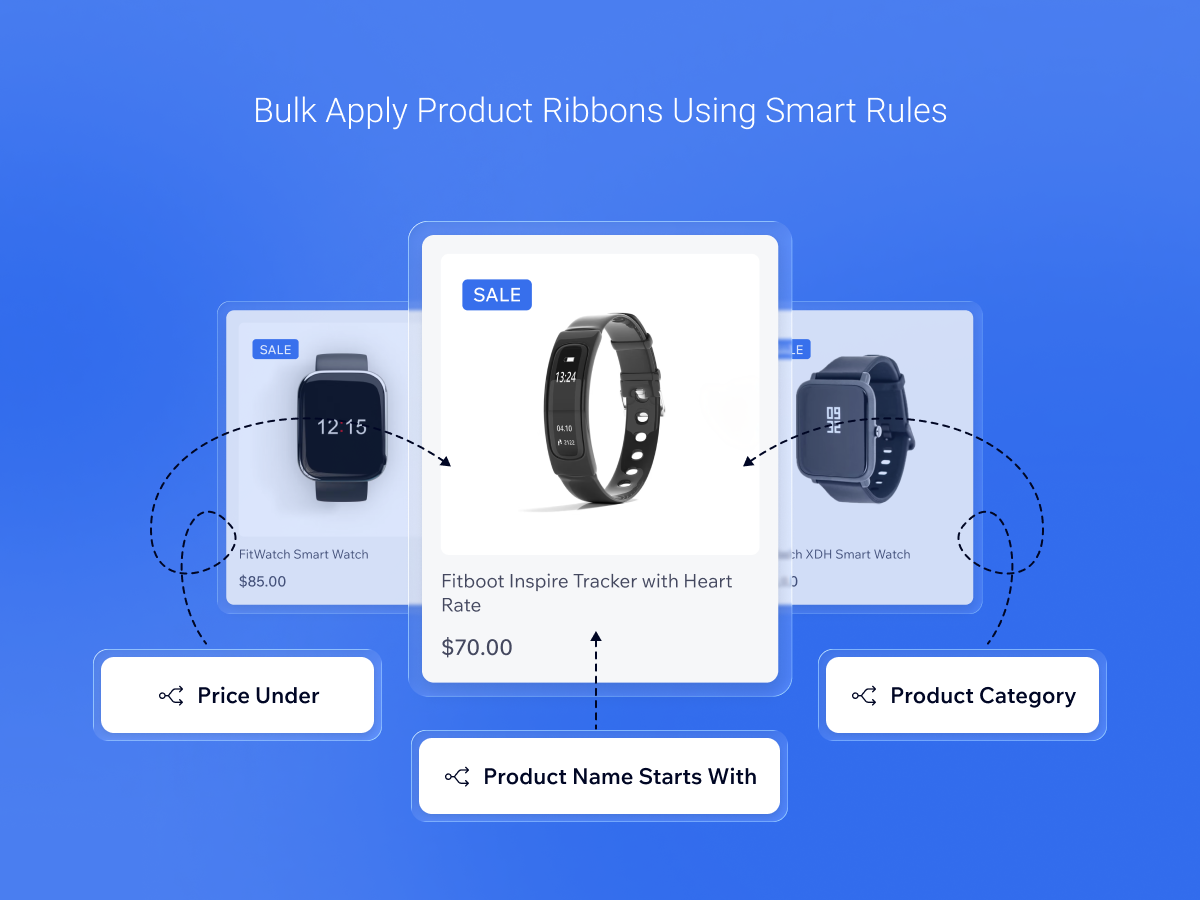
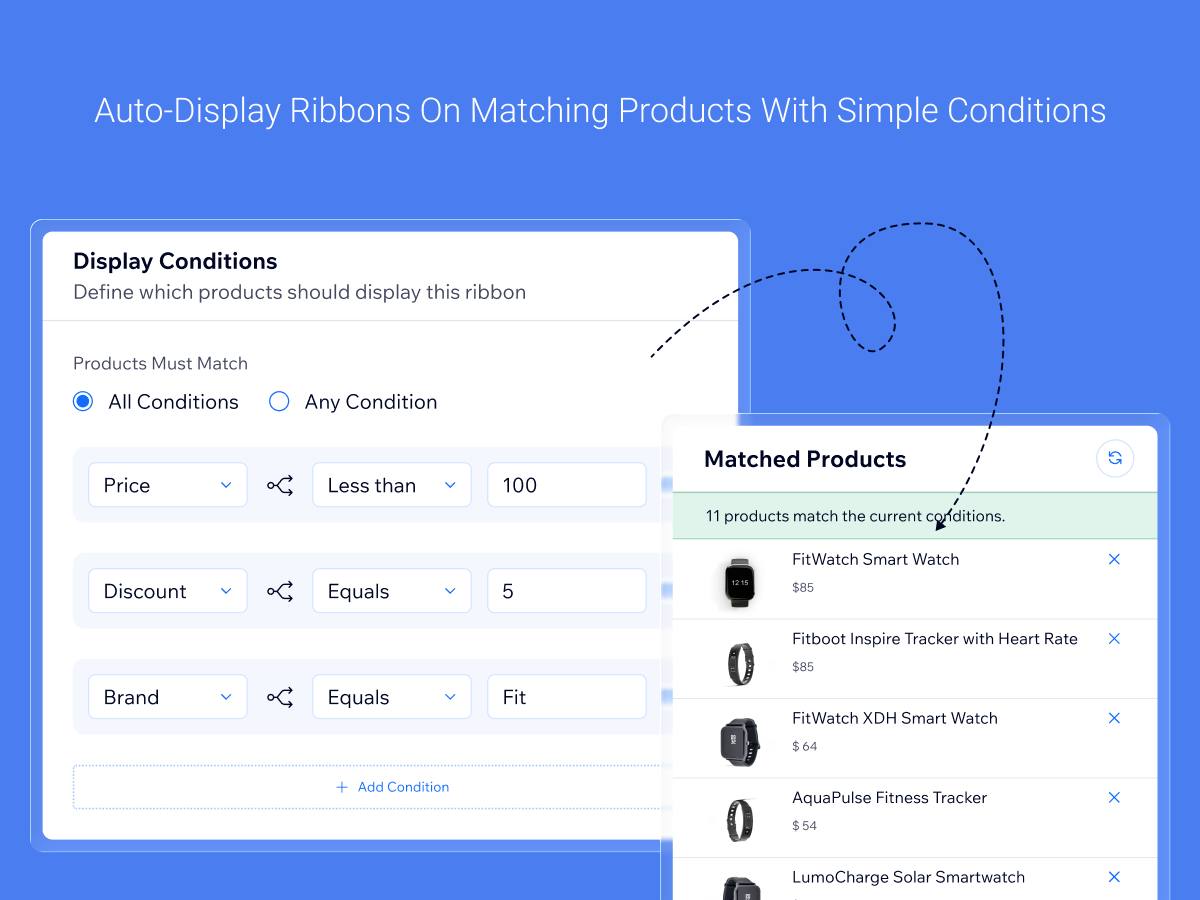
Automatically display ribbons using conditions like category, price, discounts, and inventory for precise targeting
Add ribbons directly on product images to highlight key messages without disrupting design
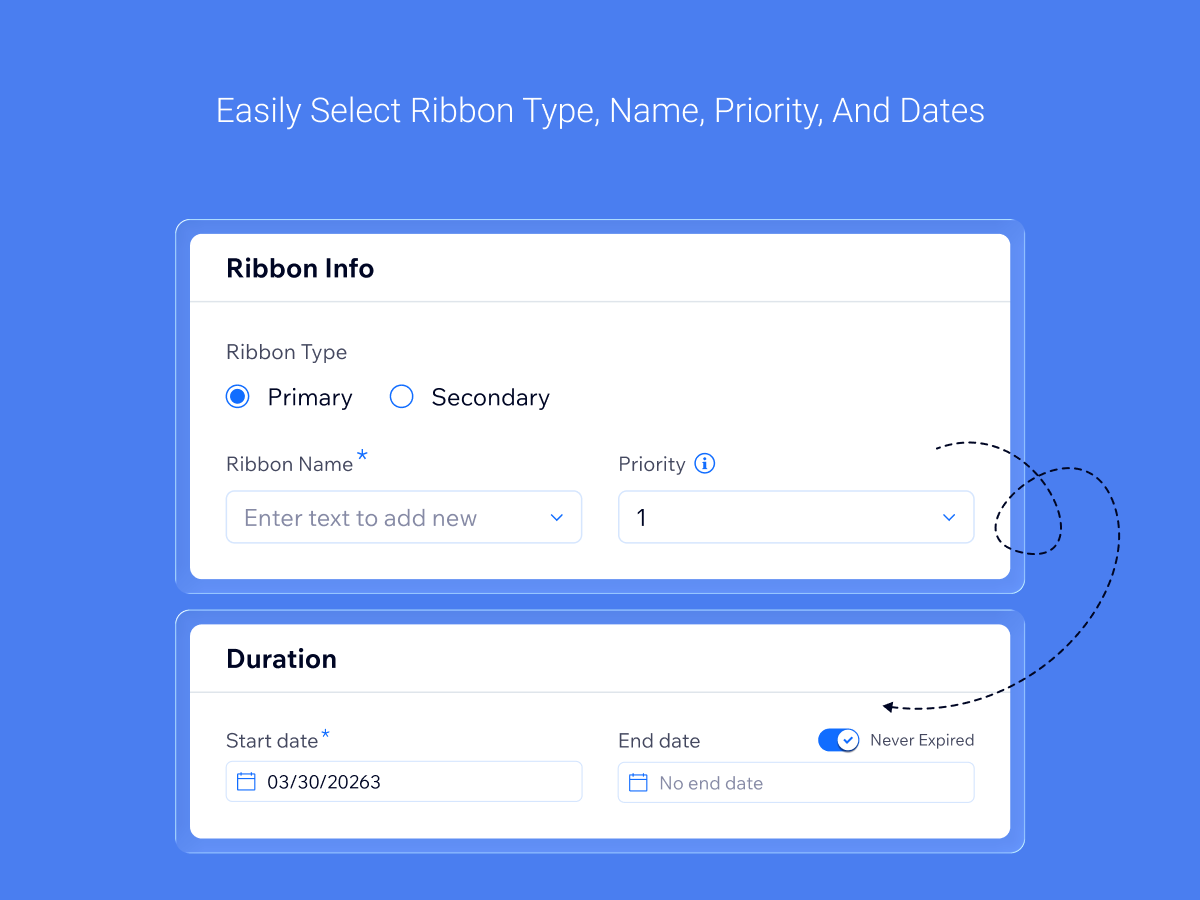
Control which ribbon appears when multiple rules match by setting clear priority levels
Ribbons update instantly based on live product data to keep promotions and product signals accurate
Make your products stand out and boost sales with dynamic ribbons that highlight key promotions and product details. This tool lets you add visual badges, like “Sale,” “New Arrival,” or “Limited Stock,” directly on product images or around them. Shoppers notice these ribbons immediately, helping drive clicks and purchases.
Ribbons can be shown based on rules you set. You can target products by category, price, inventory, discounts, or other conditions. You can also set priorities so the most important ribbon always shows when multiple rules match. Everything updates automatically, so your ribbons always reflect live product data.
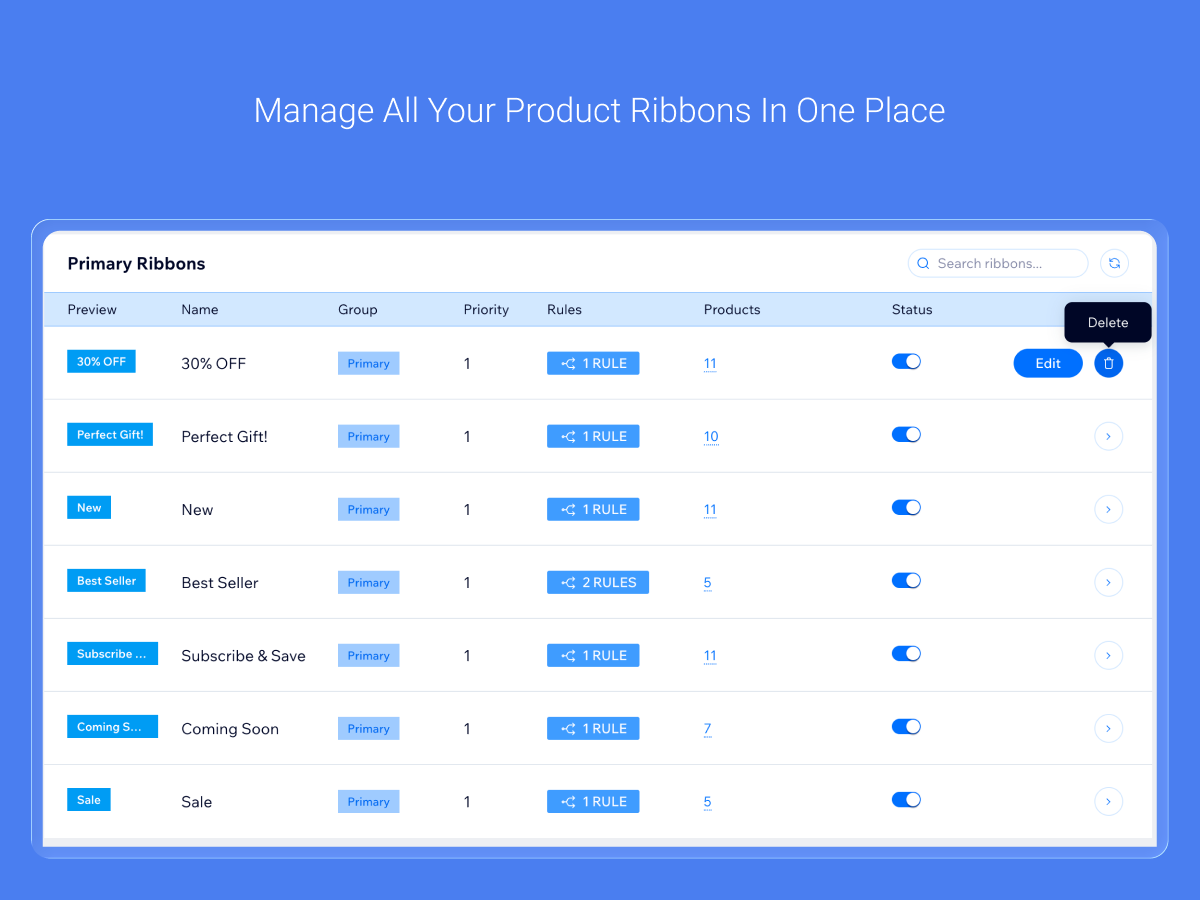
It’s easy to use. Create ribbons in a few steps and preview them live on your product images. You can add multiple ribbons, manage them from a simple dashboard, and turn them on or off without deleting.
This solution is unique because it combines flexible placement, smart rules, and real-time updates. It makes your promotions more visible, your store more professional, and helps you increase conversions without extra work.