

negozio online
prenotazioni
eventi
popup

StockCue: Restock Planner & PO
di
Know what to reorder, how much, and when
5.0
Giorni di prova gratuita: 14

Panoramica StockCue: Restock Planner & PO
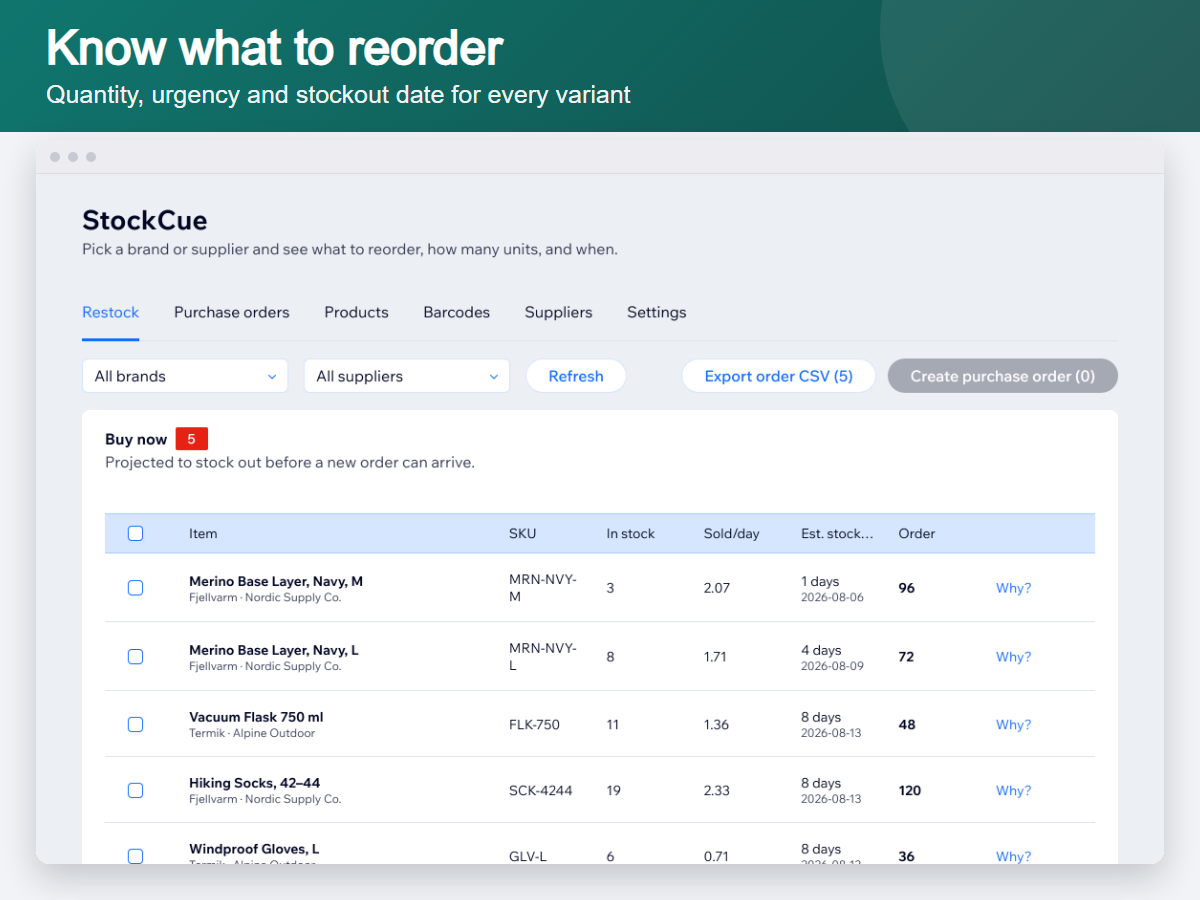
- Recommended reorder quantity and stockout date for every variant
- Buy now / Watch / Don't reorder, sorted by urgency
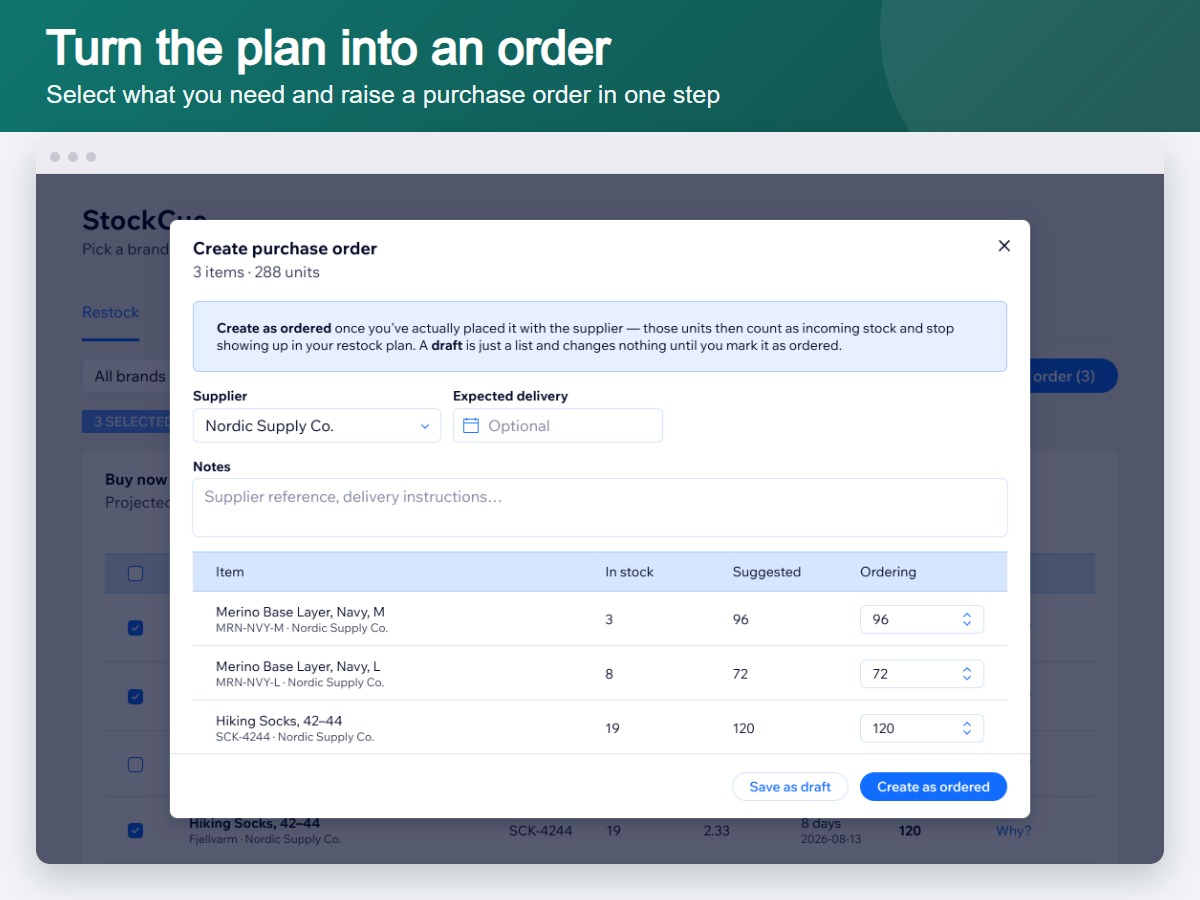
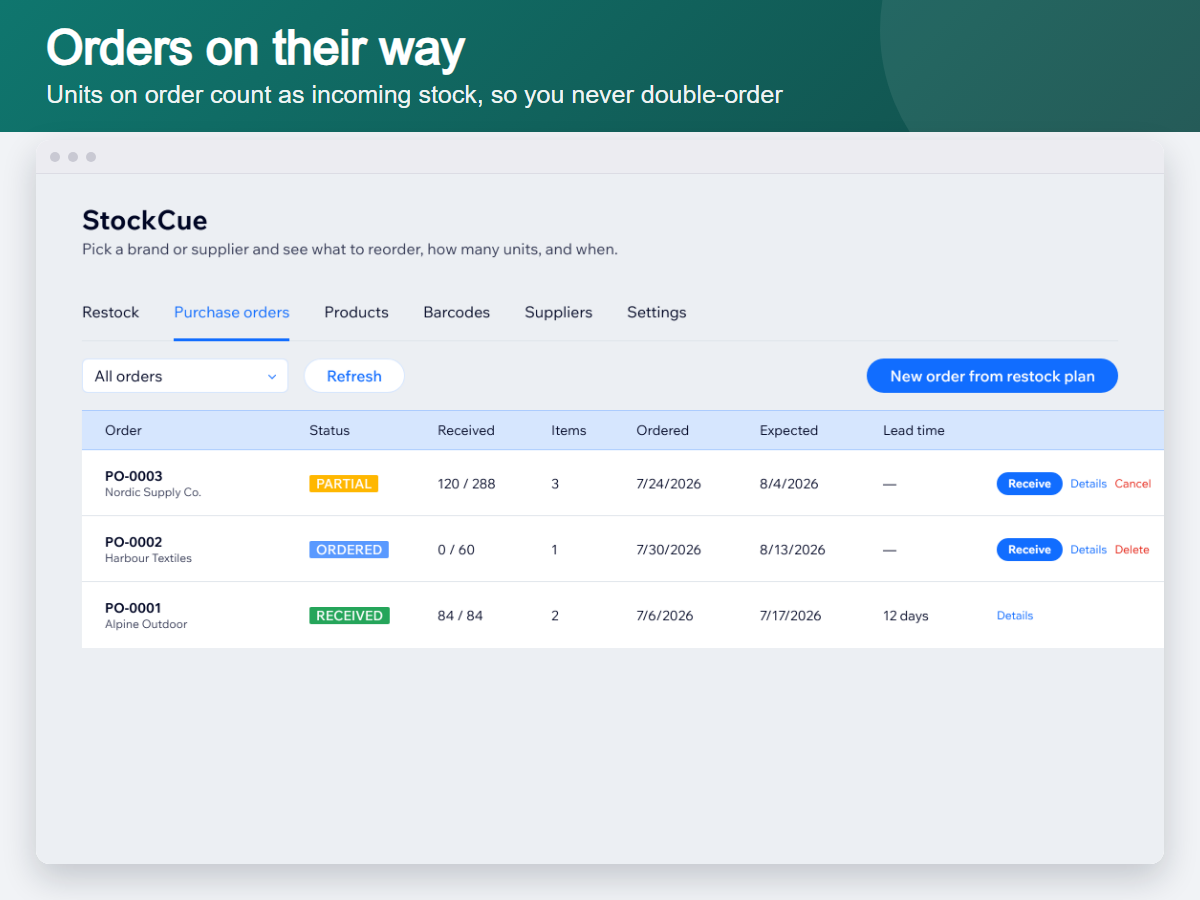
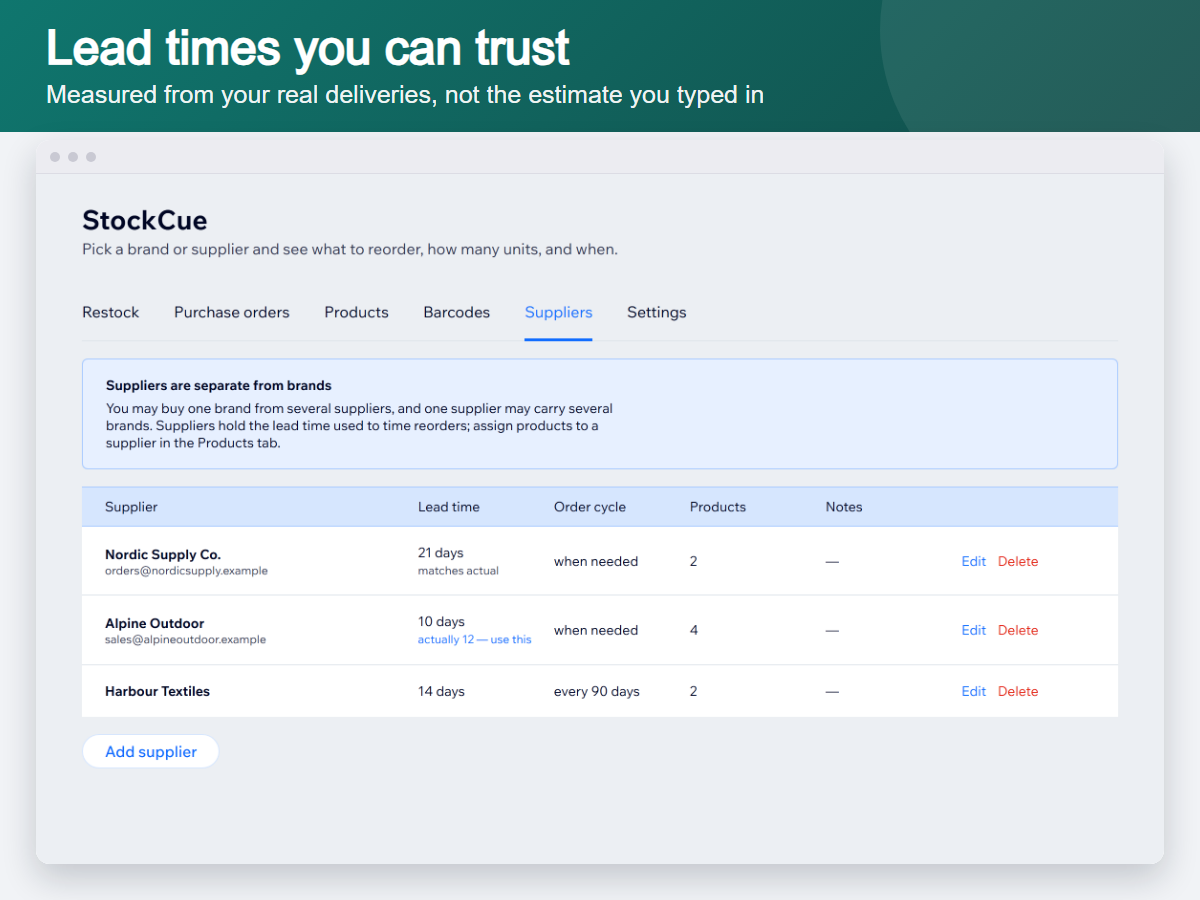
- Purchase orders whose units count as incoming stock, so you never double-order
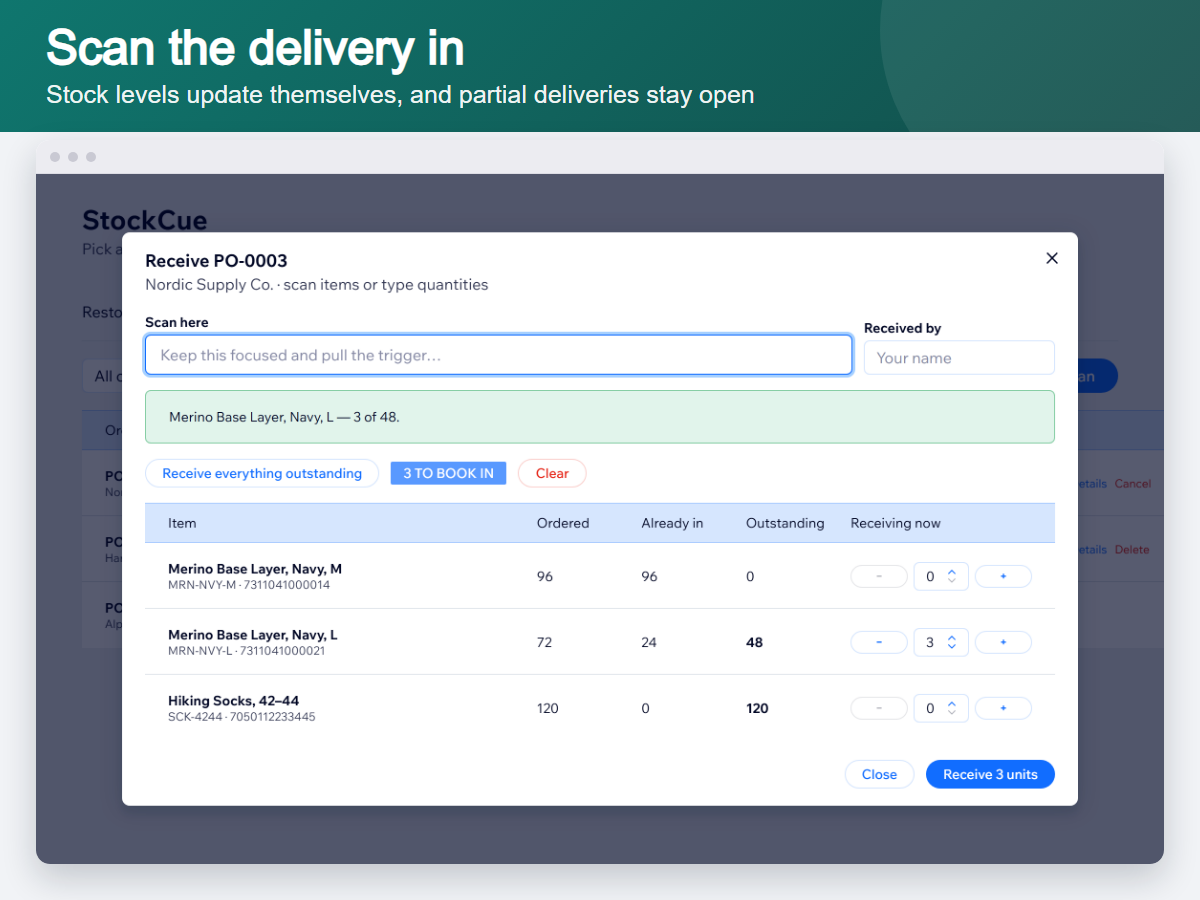
- Scan deliveries in and your stock levels update themselves
Categorie
Disponibilità:
L'app è disponibile in tutto il mondo.Lingue dell'app:
Inglese
Requisiti del sito:
-
GT
App sviluppata daGlimm Tech
Visita il nostro sito webContatta l'AssistenzaInformativa sulla privacy
Glimm AS garantisce il rispetto delle leggi commerciali UE.
Valutazione media 5.0
2 recensioni
5
2
4
0
3
0
2
0
1
0
Ordina per:
SH
Shopifywithbabar/ Aug 30, 2026
Good App!Really useful for keeping track of stock. Super convenient for planning restocks.
(0)
Grazie per il feedback
AL
Alfiejay74576/ Aug 30, 2026
Makes Restocking and Purchase Planning EasierI like the way this app helps with restocking and purchase order planning. It makes an otherwise time-consuming part of inventory management more manageable.
(0)
Grazie per il feedback
Piani e prezzi
Questa app offre una prova gratuita di 14 giorniPacchetto Premium
$
7
99
/mese
Smart reorder quantities per variant
Stockout date for every product
Filter by brand or supplier
Supplier-ready CSV purchase orders
* Il prezzo è in USD.