

negozio online
prenotazioni
eventi
popup

Booking Price Rules
di
Charge more at peak times, less when quiet
Non ci sono ancora recensioni
Piano gratuito disponibile

Panoramica Booking Price Rules
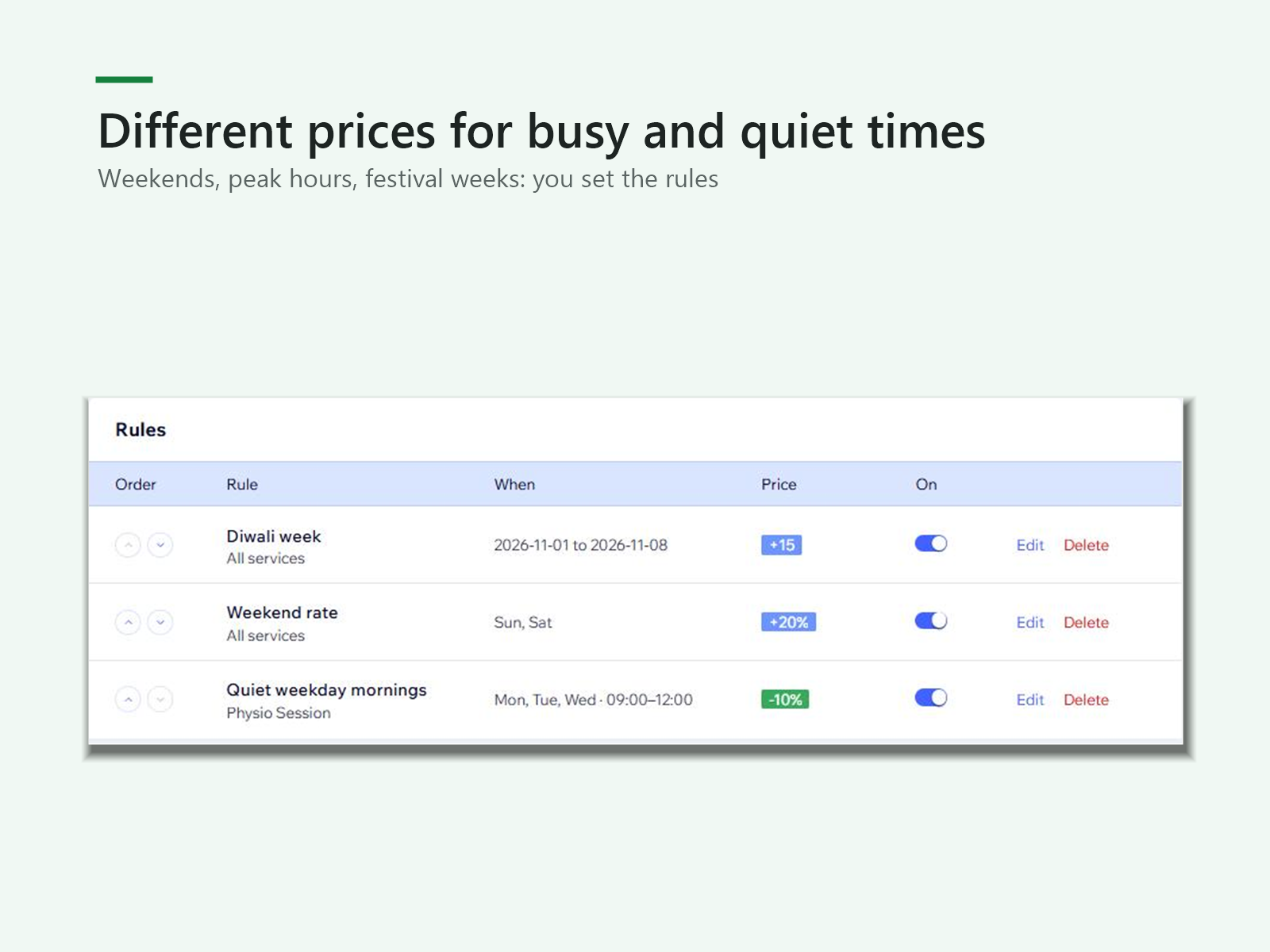
- Set weekend, peak-hour or festival prices
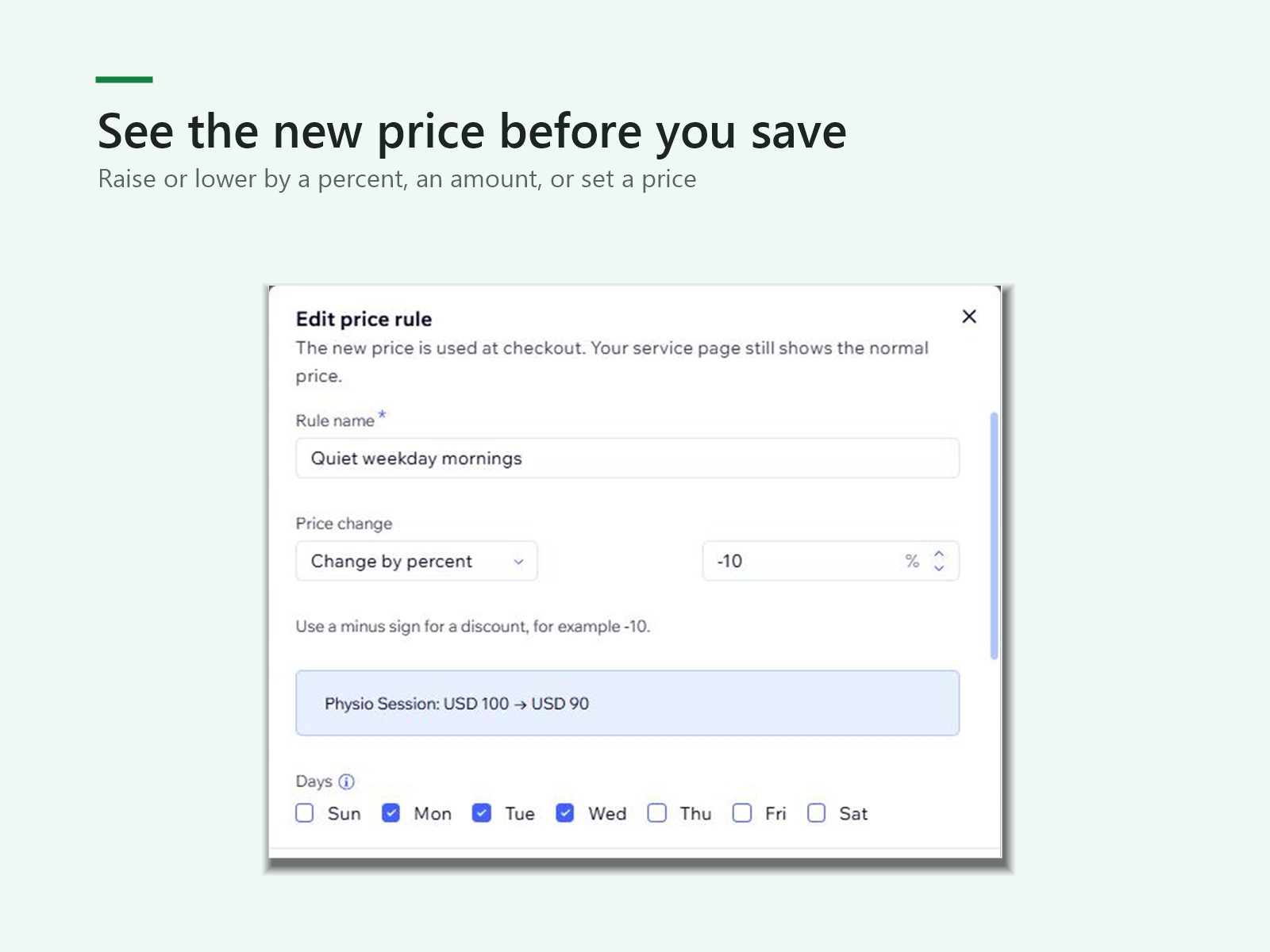
- Raise or lower by a percent, an amount, or a set price
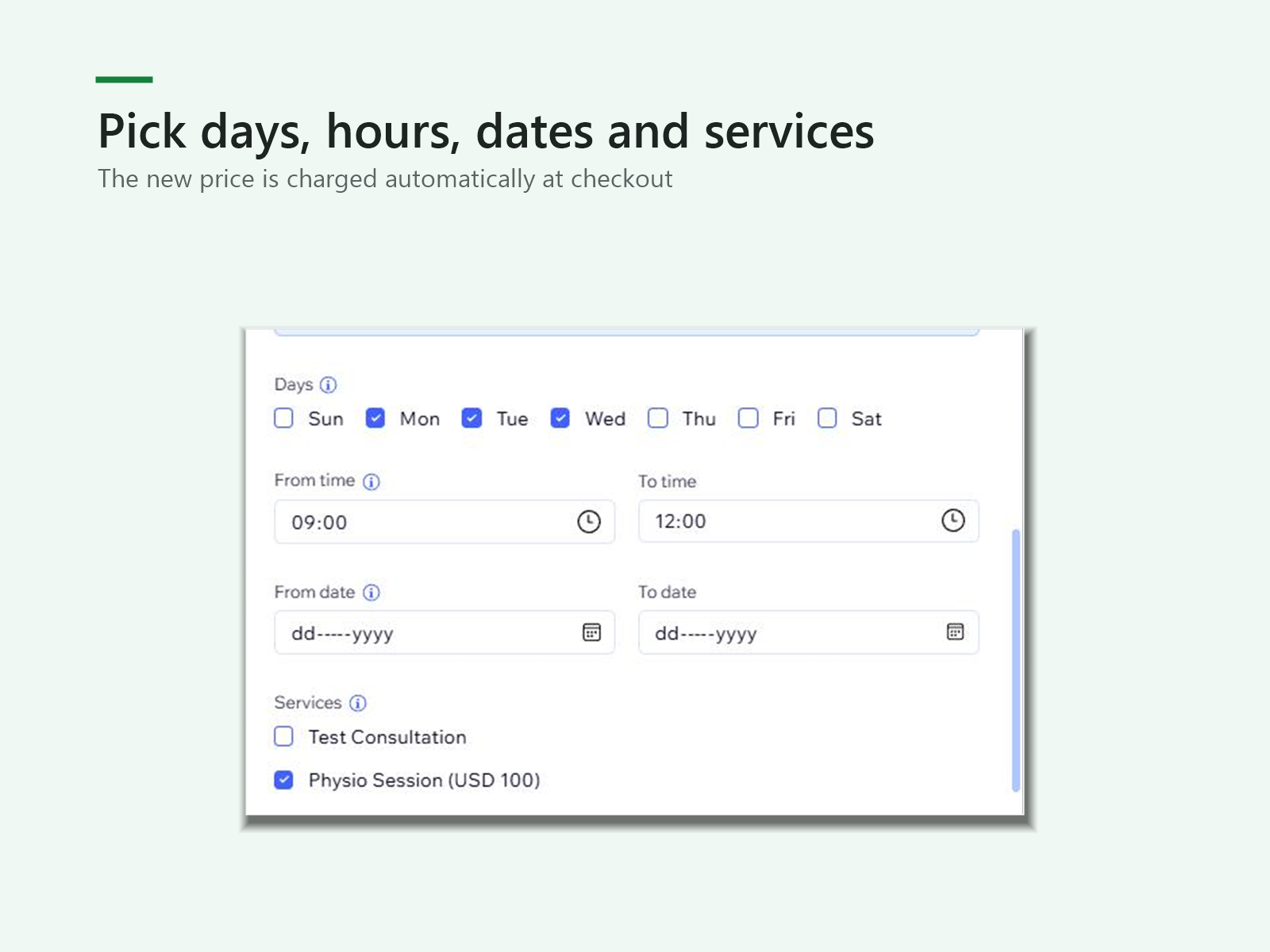
- Choose the days, hours, dates and services each rule covers
- New price is charged automatically at checkout
Valutazione e Recensioni
Questa app non ha ancora ricevuto recensioni: valutala prima di tutti.Piani e prezzi
Pacchetto Basic
Gratis
1 price rule
Percent, amount or set price
Charged automatically at checkout
Pacchetto Pro
$
3
75
/mese
Unlimited price rules
Day, time and date rules
Rules per service
* Il prezzo è in USD.